FLAC is a good format for keeping an AI music master compact without throwing away audio information. A flac spectrogram can therefore be a dependable check, as long as you remember one plain rule: lossless compression preserves what is there, but it cannot restore what was never in the source.
What FLAC keeps and what it cannot restore
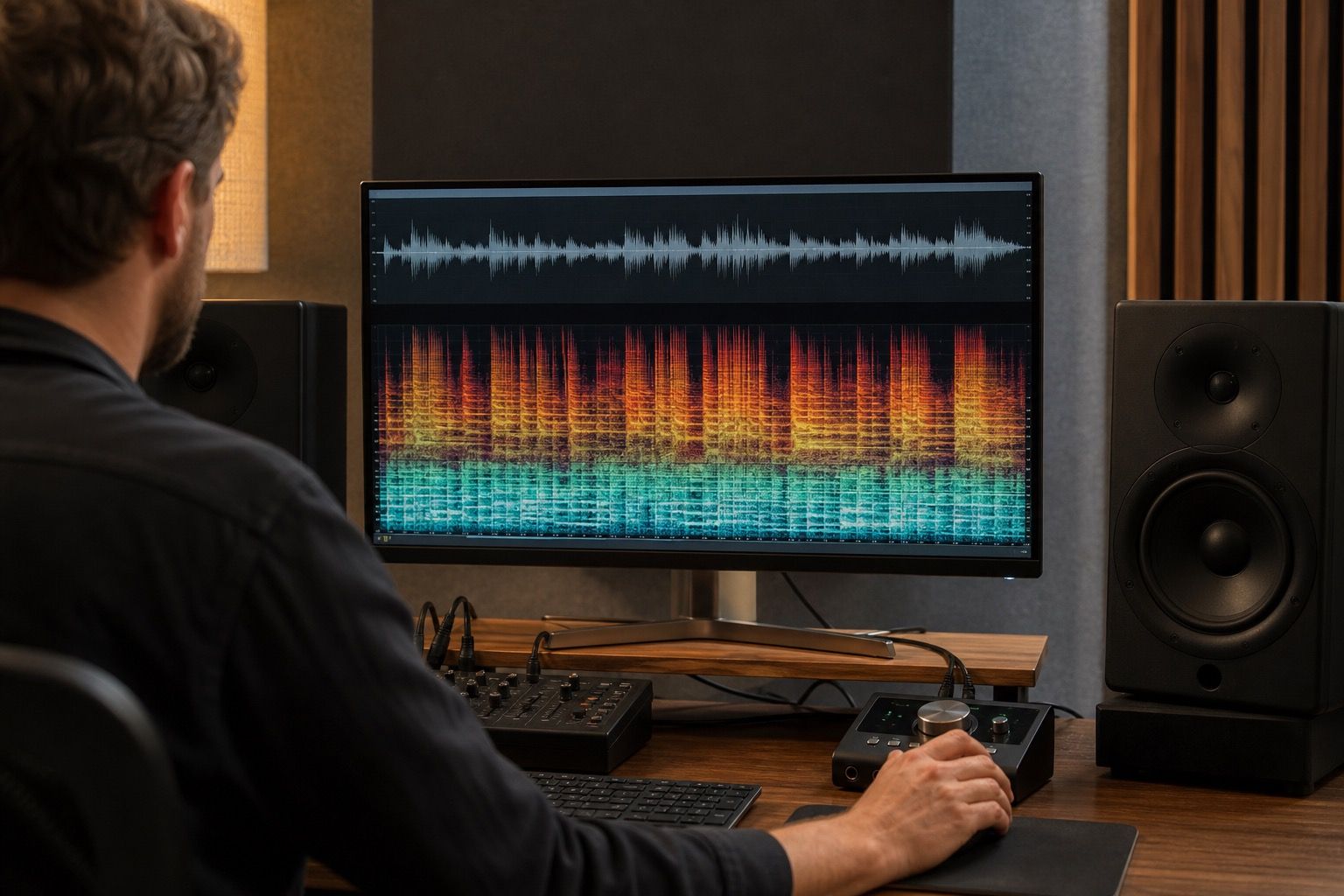
FLAC compresses audio without the perceptual discard used by MP3. If you encode a clean WAV to FLAC and decode it again, the audio data should match. That makes FLAC useful for archiving and inspection. The spectrogram should show the same musical content, frequency ceiling, fades, and noise floor you would expect from the source master.
The catch is the source. If a track was first exported as a low bitrate MP3, then converted to FLAC, the FLAC file keeps the MP3 damage. The spectrogram may show a hard cutoff, smeared cymbals, or missing top-end detail, but those flaws come from the earlier file. The container is lossless from the point of conversion onward; it is not a time machine for the audio.
This is important with AI music because people often collect whatever download is easiest and later ask whether a better container will clean it up. It will not. If the model rendered metallic vocal edges or the original export was already compressed, FLAC can preserve the evidence. It does not soften the artifact by itself.
Use FLAC to archive a cleaned master
After repair, FLAC is a sensible archive format. It reduces file size compared with WAV, keeps metadata more comfortably, and remains lossless for future conversion. If I have a cleaned AI music export that I may revisit later, I keep the working WAV during editing and store a FLAC archive once the master is stable.
A good archive master needs boring discipline. The file name should identify the track, version, sample rate, and date. Metadata should be useful but not overstuffed. If the song has stems, I keep them separately rather than pretending one FLAC can replace the project. The spectrogram check simply confirms that the archive still contains the cleaned master I meant to save.
| File role | Good format | What to verify |
|---|---|---|
| Editing session | WAV | Project sample rate and headroom |
| Archive master | FLAC | Lossless source, clear tags, stable version |
| Sharing preview | MP3 or AAC | Delivery artifacts and listener tolerance |
I do not use FLAC as an excuse to skip listening. The file may be technically lossless and still carry a tiring vocal sheen or high-frequency grit. The spectrogram helps catch that the problem survived the repair pass; ears decide whether it is worth another edit.
Compare FLAC and WAV only when the source is known
FLAC and WAV comparisons are meaningful when both come from the same clean source. In that case, the spectrogram should be effectively the same for practical inspection. If they differ dramatically, I would suspect a conversion mistake, wrong file, sample rate change, or a hidden process during export.
The comparison becomes muddy when the source is unknown. A FLAC file from a friend, a collaborator, or an old cloud folder may have started as MP3, a platform preview, or a normalized download. The file extension alone cannot prove the history. I look for clues: a flat high-frequency ceiling, strange metadata, suspiciously small file size for the duration, or a waveform that looks limited before any mastering stage I know about.
The question does suno have flac also needs a cautious answer because product export options can change. For a practical workflow, I would not build the whole archive plan around a permanent promise from any one AI music platform. Use the cleanest download currently available, keep notes about its source, and convert to FLAC only after you know what you are preserving.
Watch for artifacts that survived conversion
A FLAC spectrogram is especially useful after cleanup because it can show stubborn defects that remain in the master. I check exposed vocal phrases, bright percussion, reverb tails, and the last seconds of the file. AI artifacts often hide in those spots: a narrow whistle around a vowel, a sandy top layer on cymbals, or a synthetic residue after the arrangement stops.
Some marks are not worth chasing. A tiny high-frequency speck that nobody hears in context is less important than a repair that makes the whole chorus dull. The spectrogram is a map, not a judge. I use it to find the suspicious area, then loop that moment quietly and loudly. If the fix improves the song without shaving off life, it stays. If it only makes the picture tidier, I leave it alone.
Converted source files deserve extra skepticism. If the FLAC came from an unknown download, the spectrogram may expose codec history rather than current repair failure. A clean archive begins earlier: known source, known edit, known export, then FLAC. Without that chain, the format is only a clue.
Choose delivery formats after the repair pass
Once the AI music export is cleaned and checked, delivery copies can be made from the master. FLAC is good for storage and for listeners who want a lossless file. WAV is convenient for some upload pipelines and mastering exchanges. MP3 or AAC is still normal for lightweight previews. The important part is that each copy comes from the same approved master.
I usually run one last spectrogram check on the FLAC archive and then a listening check on the compressed preview. The archive should preserve the repaired frequency content. The preview should survive real-world compression without turning cymbals into grit or vocals into glass. Those are different checks, and mixing them up wastes time.
FLAC gives you a compact, honest container for a cleaned AI track. It does not improve a bad render, rescue a damaged MP3, or guarantee that a model artifact is gone. Used after a careful repair pass, it keeps the master available for future uploads, new formats, and one more skeptical look when something sounds wrong later.
Do the comparison from the same source export, not from a file that has already been processed twice. FLAC is useful as an archive format because it keeps the cleaned master without adding MP3-style compression, but it cannot repair a damaged AI render by itself. The spectrogram should confirm that the important content survived cleanup, not imply that a converted file became higher quality.